
A Practical Guide to AI-Assisted WordPress Websites
A WordPress website is often the first serious home for a small business online. It explains what you do, helps people understand your offer and gives them a way to get in touch. That foundation still matters.
But many websites now need to support more than a basic set of pages. A consultant may want better inquiry forms. A coach may need a smoother intake process. A creator may want content, resources and email workflows to connect properly. A service business may want form responses organized before a call is booked.
This is where an AI-assisted WordPress website can be useful. Not because every website needs AI. Not because AI should be added for the sake of it. It becomes useful when the website is part of a real business workflow and selected AI features, automations or integrations can make that workflow clearer.
A useful AI-assisted WordPress website starts with the business problem, not with the AI feature.
What an AI-assisted WordPress website actually means
An AI-assisted WordPress website is a WordPress site that combines the normal strengths of WordPress with practical AI-supported features or connected workflows.
The site may still include the usual pages: home, services, about, contact, articles, landing pages and search-friendly content. The difference is that some parts of the website are designed to help with information handling, decision support or repeated tasks behind the scenes.
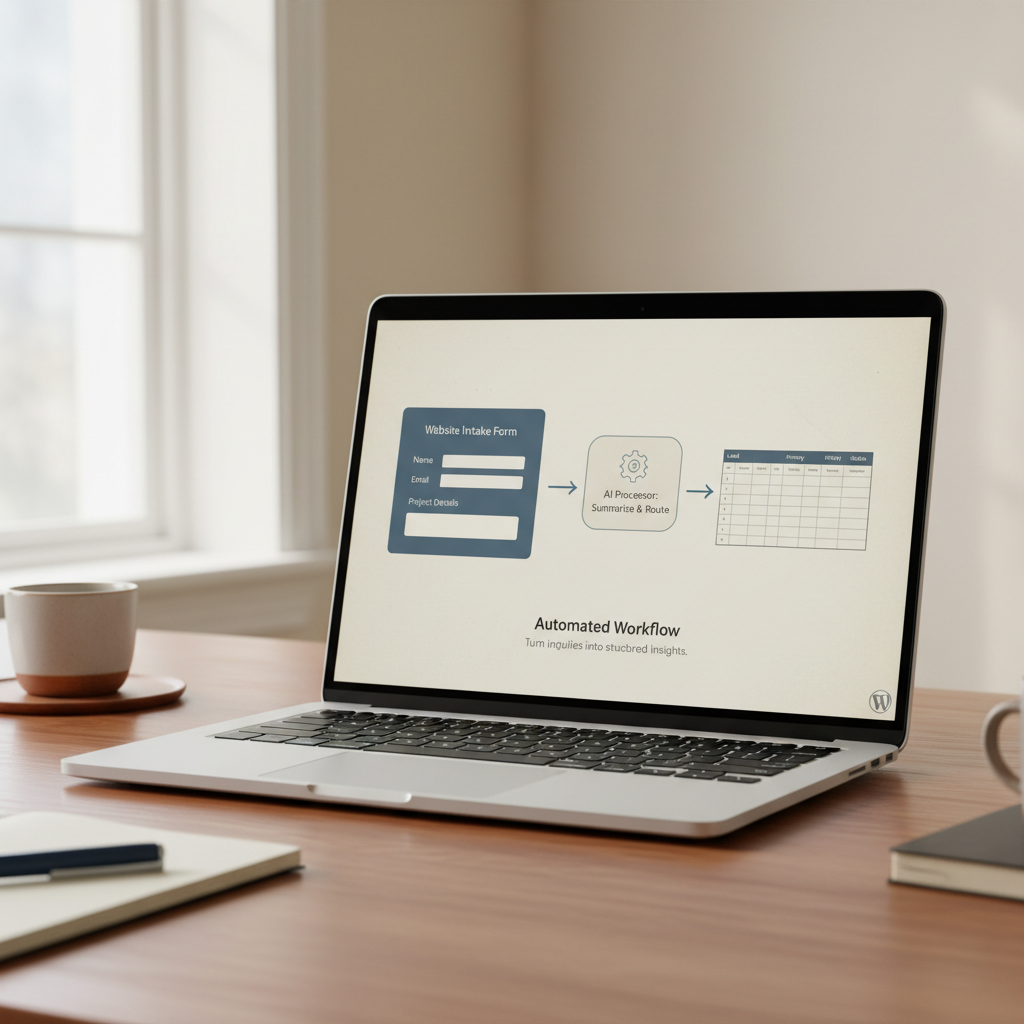
For example, an AI-assisted WordPress website might help turn a long inquiry into a short internal summary, route a visitor toward the most relevant service, organize intake answers, create a better onboarding flow or connect form submissions to tools you already use.
The website remains the base. AI is not the whole product. It is one part of a practical system that helps the website do its job better.
When a standard WordPress website is enough
Not every website needs AI features. In many cases, the best first step is a clear WordPress website with strong page structure, simple messaging and a reliable inquiry path.
A standard WordPress website may be enough if you need to:
- Explain who you help and what you offer.
- Publish articles, case studies or resources.
- Collect simple contact form submissions.
- Show examples of your work or services.
- Create a professional online presence without complex workflows.
- Improve clarity, layout, navigation or search visibility.
If the real problem is unclear positioning, weak website copy or a confusing structure, AI should not be the first priority. The practical work is to make the website understandable first. Visitors need to know what you do, who it is for and what to do next.
AI-assisted features become more relevant when the website is connected to a repeated process: lead qualification, onboarding, support, applications, content management, internal admin or client communication.
When AI-assisted features make sense
AI-assisted features make sense when your website receives information that needs to be sorted, summarized, analyzed or acted on.
This often happens when a business grows beyond a basic contact form. You may receive detailed project inquiries, coaching applications, assessment answers, client intake forms, support questions or resource requests. Reading and organizing that information manually can take time, especially when the same steps happen again and again.
An AI-assisted workflow can help turn raw input into something easier to review. It can support the human decision, not replace it.
Useful signs that AI may help include:
- You ask leads several questions before you can decide whether they are a good fit.
- You receive long form responses that need to be summarized before a call.
- You manually copy information from your website into another tool.
- You need to send different follow-up messages based on the type of request.
- You have a resource library, blog or knowledge base that needs better filtering or suggestions.
- You want a smoother client onboarding flow after someone completes a form.
- You need an internal view of submissions, requests or client details.
These are workflow problems. AI may be one useful part of the solution, but the workflow still needs to be designed clearly.
Practical examples of AI-assisted WordPress workflows
The most useful features are usually simple and specific. They do not need to make the website feel complicated. They should reduce friction for the visitor or make the business owner’s review process easier.
One example is a smarter inquiry flow. Instead of a short contact form that gives you too little information, the website can ask focused questions about the visitor’s problem, goal, budget range, timeline and current tools. The responses can be stored, sent to the right place and summarized for internal review. You still decide what to do next, but you start with clearer context.
Another example is client onboarding. After someone becomes a client, the website can guide them through forms, preparation steps, resource pages or access instructions. AI may help summarize their answers or flag missing details, while the rest of the system keeps the steps organized.
A third example is content support. If your site includes articles, resources or guides, AI-assisted workflows can help structure content ideas from real questions, improve internal tagging or support better search and filtering. This should be handled carefully, with human review. AI can help with organization, but it should not publish unchecked content on your behalf.
For small businesses, the best use cases are often not dramatic. They are practical improvements to the parts of the website that already carry work.
What belongs in a focused first version
A first version should be small enough to build, test and improve. It does not need every possible feature. It needs the right starting workflow.
A focused first version of an AI-assisted WordPress website might include:
- A clear website structure with key pages and calls to action.
- One improved inquiry, application or intake flow.
- Form fields designed around the information you actually need.
- A simple internal summary of submitted information.
- Connection to an email tool, spreadsheet, CRM or project workspace where relevant.
- A basic admin or dashboard view for reviewing submissions.
- Clear privacy and consent wording where personal information is collected.
- Testing with real examples before the workflow is relied on.
This is enough to learn from real use. Once the first workflow works well, more features can be added with better judgment.
Trying to build too much at once often creates the opposite result. The website becomes harder to manage, the workflow becomes unclear and the useful parts are buried under unnecessary features.
What to avoid
The main mistake is starting with a feature list instead of the workflow. A website does not become more useful because it has AI somewhere inside it. It becomes more useful when it helps the right person take the right next step with less confusion.
It is also important to avoid presenting AI as a replacement for judgment. Summaries, suggestions and routing logic can be helpful, but they still need review. If the website handles sensitive, personal or business-critical information, privacy, consent, data storage and third-party services need to be considered before anything is built.
Another common issue is over-automation. Some steps should remain human. A thoughtful reply, a manual review or a short conversation may create a better client experience than a fully automated sequence.
A practical build should make clear what the system does, what the business owner still reviews and where third-party tools or APIs are involved.
How to plan an AI-assisted WordPress website
The planning process should begin with the problem. Before choosing tools or features, define what the website needs to help with.
Useful questions include:
- What does the visitor need to understand or do?
- What information does the business need to collect?
- What happens after someone submits a form?
- Which steps are repeated manually right now?
- Where does information currently get lost, delayed or copied between tools?
- Which decision should remain human?
- What would make the first version useful enough to test?
From there, the project can be scoped around one or two core workflows. The website pages, forms, automations and AI-supported steps should all serve that scope.
This keeps the build realistic. It also makes testing easier because you can see whether the workflow is actually helping. Are inquiries clearer? Is onboarding smoother? Is information easier to review? Are visitors reaching the right next step?
A practical next step
An AI-assisted WordPress website is not about adding complexity. It is about making the website more useful in the places where your business already spends time: answering questions, reviewing leads, onboarding clients, organizing content or moving information between tools.
The best starting point is a focused first version. One clear website structure. One practical workflow. One useful improvement that can be tested with real people and refined from there.
If you are considering an AI-assisted WordPress website, start by writing down the workflow you want to improve. What comes in through the website? What needs to happen next? What currently takes too much manual work?
Then the right question becomes much easier to answer: what should the website help you do first?
Tell me about your project if you want to explore a focused WordPress website with practical AI features, automations or integrations built around a real business workflow.